%20--%3e%3cdefs%3e%3cstyle%3e%20.st0%20{%20fill:%20%23fff;%20}%20%3c/style%3e%3c/defs%3e%3cpath%20class='st0'%20d='M37.06,124.64c1.42-.39,3.06.14,4.14.77,29.56,17.44,67.54,6.48,83.47-23.79,9.31-17.68,10.16-36.97,1.54-55.34-1.29-2.76.63-5.66,3.07-6.48,2.76-.91,5.34.33,6.56,2.99,7.71,16.78,8.53,35.39,2.51,52.8-14.32,41.46-61.44,61.08-100.66,39.6l-28.54,8.18c-1.53.44-3.51-.85-4.32-1.78-1.07-1.23-1.51-2.99-1.06-4.68l7.42-27.48C1.75,93.06-1.86,75.29,2.43,56.85,9.85,24.85,36.89,1.27,70.09.31c14.91-.43,29.09,3.99,41.7,12.54l-.36-5.47c-.17-2.66,1.42-4.88,3.81-5.4,2.05-.44,5.56.58,5.97,3.25,1.09,7.06,1.8,14.07,2.44,21.4.2,2.3-2.47,4.71-4.65,4.73l-18.11.08c-2.8,0-5.09-1.59-5.5-4.35-.35-2.36,1.31-5.56,4.1-5.59l6.44-.08C76.96,1.23,36.92,10.4,19.4,41.02c-11.87,20.72-11.49,44.19,1.31,64.59.85,1.31,1.36,2.49.93,4.03l-5.58,20.83,20.99-5.85.02.02Z'/%3e%3cpath%20class='st0'%20d='M91.43,92.7c4.29,0,7.09-3.34,6.98-7.09-.11-4.05-3.59-7.03-7.8-6.51h-20.19l3.67-10.15,16.89-.03c3.39,0,5.97-2.47,6.48-5.72.33-2.08-.3-4.22-1.58-5.63-1.45-1.59-3.44-2.1-5.64-2.1l-14.72.05,3.1-10.18c4.29-.19,8.41-.33,12.75-.13,7.66.35,14.32,5.25,16.03,12.72,1.36,5.97-.65,11.99-5.85,15.54,3.21,2.02,5.5,4.76,6.49,8.59,2.55,9.85-4.33,20.06-14.94,20.56l-32.37.2,3.73-10.07,9.74-.08h17.21v.02Z'/%3e%3cpath%20class='st0'%20d='M68.08,68.96l-3.36,10.12-18.41.03-.06,23.7h-10.38v-56.96c0-.5,1.61-.71,2.14-.71h6.97l27.17-.02-3.18,10.34-22.63.14-.03,13.33,21.78.05v-.02Z'/%3e%3c/svg%3e)
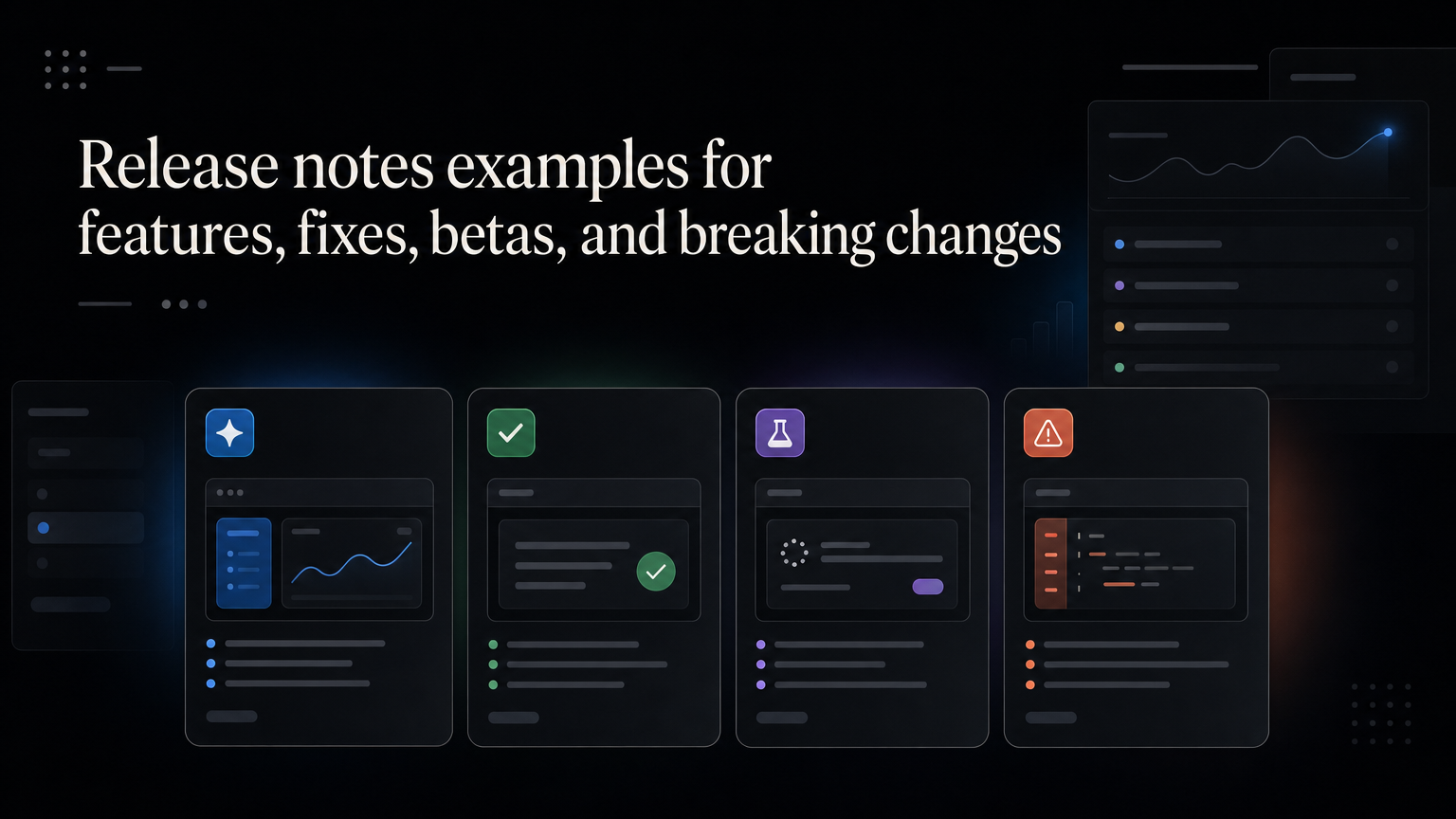
Good release notes explain the customer outcome, how to use the change, and any limits. Use these templates as a starting point.
New feature
Schedule reports for automatic delivery

You can now send a saved report to selected recipients on a daily,
weekly, or monthly schedule.

Open a saved report, choose Schedule, add recipients, and select a time.
Scheduled reports are available on Pro projects.
Important bug fix
Fixed delayed Slack notifications

Some notifications sent between 09:00 and 11:30 UTC arrived late.
Delivery is now operating normally. No customer action is required.

We are adding monitoring for this queue to catch similar delays earlier.
Beta release
Beta: guest access for client reviewers

Beta participants can invite a guest to view and approve selected projects
without giving access to the full workspace.

Guest access is still in testing. Permission options may change before release.
Reply to the beta thread with examples that do not work for your team.
Breaking change
API v1 export endpoint retires on October 31

Requests to /v1/exports will stop working after October 31.
Move integrations to /v2/exports before that date.

The migration guide lists field changes and includes a test request.
Contact support if your integration cannot migrate in time.
Edit every note
Before publishing, check:
- Does the title state the outcome?
- Can the customer find the feature?
- Is availability clear?
- Are dates and required actions explicit?
- Did linked requesters receive the update?
Feedboard connects changelog entries to the feedback and roadmap work that led to them. Publish release notes with Feedboard.
Match the note to the reader
Admins need configuration and rollout details. Daily users need the new outcome and shortest path to it. Developers need migration instructions. Write separate sections when one release affects all three.
For a major launch, add screenshots, limitations, documentation, and a contact path. For a small improvement, a title and two clear paragraphs may be enough.
Distribution checklist
Publishing is only the first step:
- Link the relevant roadmap item.
- Notify customers who requested the change.
- Add an in-product announcement for affected users.
- Give support and sales a shareable summary.
- Update documentation before the announcement.
More examples
Workflow improvement
Bulk-edit project owners

Select multiple projects and assign a new owner in one action.
The change is available to project admins on every paid plan.
Deprecation
Legacy CSV imports retire on December 15

New imports must use the column-mapping flow after December 15.
Existing imported data is unaffected. Review the migration guide before
uploading your next file.
Editorial review
Remove internal codenames, ticket numbers, unsupported superlatives, and technical implementation details that do not affect customers. Verify dates, plan availability, and links with the release owner.
After publishing, monitor replies and support volume. Confused questions usually mean the note or onboarding needs improvement.
Build a release-note workflow
Release communication is easier when it is part of delivery rather than a task discovered after launch.
Add these fields to work likely to affect customers:
Customer problem:
Customer-facing outcome:
Affected plans and roles:
Required customer action:
Linked feedback:
Documentation owner:
Announcement owner:
Release date:
Draft the note during testing. Writing often exposes an unclear outcome or rollout plan while there is still time to fix it.
Decide what deserves its own post
Use a dedicated entry when a change introduces a new workflow, affects many customers, requires action, changes pricing or limits, or resolves a widely reported problem.
Group several small changes when they serve the same audience and outcome. A monthly “quality improvements” post can cover five related fixes without forcing customers to open five announcements.
Do not bury a breaking change in a roundup.
Add evidence to major launches
A major release note can explain why the team built the feature:
Account managers told us they were exporting the same report every Monday. Scheduled reports remove that repeated step.
This gives customer feedback visible credit without exposing private account details.
When possible, link to the earlier roadmap item. The path from request to roadmap to release makes product progress easier to trust.
Accessibility and formatting
Use descriptive headings, short paragraphs, alt text, and captions that explain screenshots. Do not put essential instructions only inside an image or video.
Write dates with the month spelled out when customers operate across regions. State time zones for deadlines. Describe keyboard or screen-reader changes when they affect use.
Measure whether release notes work
Useful measures include:
- Percentage of linked requesters notified
- Views among affected customers
- Clicks to documentation or the new workflow
- Adoption after announcement
- Support questions caused or prevented
- Replies that reveal missing use cases
Page views alone reward broad distribution. A release note succeeds when the right customer understands and uses the change.
Frequently asked questions
Should every bug fix be announced?
No. Announce fixes customers noticed, reported, or need to act on. Tiny invisible corrections can remain internal.
Should release notes have dates and version numbers?
Always include a publication date. Version numbers help developer products and installed software; continuous web products may not need them.
Can release notes be promotional?
They can sound confident, but accuracy comes first. Explain the result, limits, and availability before adding launch language.
What if the rollout changes after publishing?
Update the note with a dated status and notify affected customers. Do not leave the original promise uncorrected.
Create a house style
Define capitalization, date format, category labels, screenshot treatment, plan naming, and the difference between “beta,” “early access,” and “available.”
Use the same status language as the roadmap. If the roadmap says “shipped” while the release note says “preview,” customers cannot tell whether the feature is ready.
Final publication checklist
- Title states the customer outcome.
- Problem and change are clear.
- Setup uses tested steps.
- Availability and rollout are accurate.
- Limitations are visible.
- Required action has a deadline and time zone.
- Documentation is live.
- Screenshots have alt text.
- Linked requesters are notified.
- Support has escalation context.
For breaking changes, ask someone unfamiliar with the project to follow the migration instructions. A technically correct note can still fail as guidance.
Maintain the archive
Keep stable URLs, searchable categories, and accurate old entries. Add updates when availability or instructions change.
The changelog becomes part of product documentation. Customers, support, sales, and future teammates will rely on it long after launch week.
A useful final test
Give the draft to someone outside the project and ask them to state what changed, whether they have access, what action to take, and where to get help. If they cannot answer without project context, revise the note.
Release communication is complete only when the affected customer can understand and use the change.
Archive the approved draft, publication date, distribution list, and later corrections. This creates an auditable product history and makes future communication faster and more consistent.