%20--%3e%3cdefs%3e%3cstyle%3e%20.st0%20{%20fill:%20%23fff;%20}%20%3c/style%3e%3c/defs%3e%3cpath%20class='st0'%20d='M37.06,124.64c1.42-.39,3.06.14,4.14.77,29.56,17.44,67.54,6.48,83.47-23.79,9.31-17.68,10.16-36.97,1.54-55.34-1.29-2.76.63-5.66,3.07-6.48,2.76-.91,5.34.33,6.56,2.99,7.71,16.78,8.53,35.39,2.51,52.8-14.32,41.46-61.44,61.08-100.66,39.6l-28.54,8.18c-1.53.44-3.51-.85-4.32-1.78-1.07-1.23-1.51-2.99-1.06-4.68l7.42-27.48C1.75,93.06-1.86,75.29,2.43,56.85,9.85,24.85,36.89,1.27,70.09.31c14.91-.43,29.09,3.99,41.7,12.54l-.36-5.47c-.17-2.66,1.42-4.88,3.81-5.4,2.05-.44,5.56.58,5.97,3.25,1.09,7.06,1.8,14.07,2.44,21.4.2,2.3-2.47,4.71-4.65,4.73l-18.11.08c-2.8,0-5.09-1.59-5.5-4.35-.35-2.36,1.31-5.56,4.1-5.59l6.44-.08C76.96,1.23,36.92,10.4,19.4,41.02c-11.87,20.72-11.49,44.19,1.31,64.59.85,1.31,1.36,2.49.93,4.03l-5.58,20.83,20.99-5.85.02.02Z'/%3e%3cpath%20class='st0'%20d='M91.43,92.7c4.29,0,7.09-3.34,6.98-7.09-.11-4.05-3.59-7.03-7.8-6.51h-20.19l3.67-10.15,16.89-.03c3.39,0,5.97-2.47,6.48-5.72.33-2.08-.3-4.22-1.58-5.63-1.45-1.59-3.44-2.1-5.64-2.1l-14.72.05,3.1-10.18c4.29-.19,8.41-.33,12.75-.13,7.66.35,14.32,5.25,16.03,12.72,1.36,5.97-.65,11.99-5.85,15.54,3.21,2.02,5.5,4.76,6.49,8.59,2.55,9.85-4.33,20.06-14.94,20.56l-32.37.2,3.73-10.07,9.74-.08h17.21v.02Z'/%3e%3cpath%20class='st0'%20d='M68.08,68.96l-3.36,10.12-18.41.03-.06,23.7h-10.38v-56.96c0-.5,1.61-.71,2.14-.71h6.97l27.17-.02-3.18,10.34-22.63.14-.03,13.33,21.78.05v-.02Z'/%3e%3c/svg%3e)
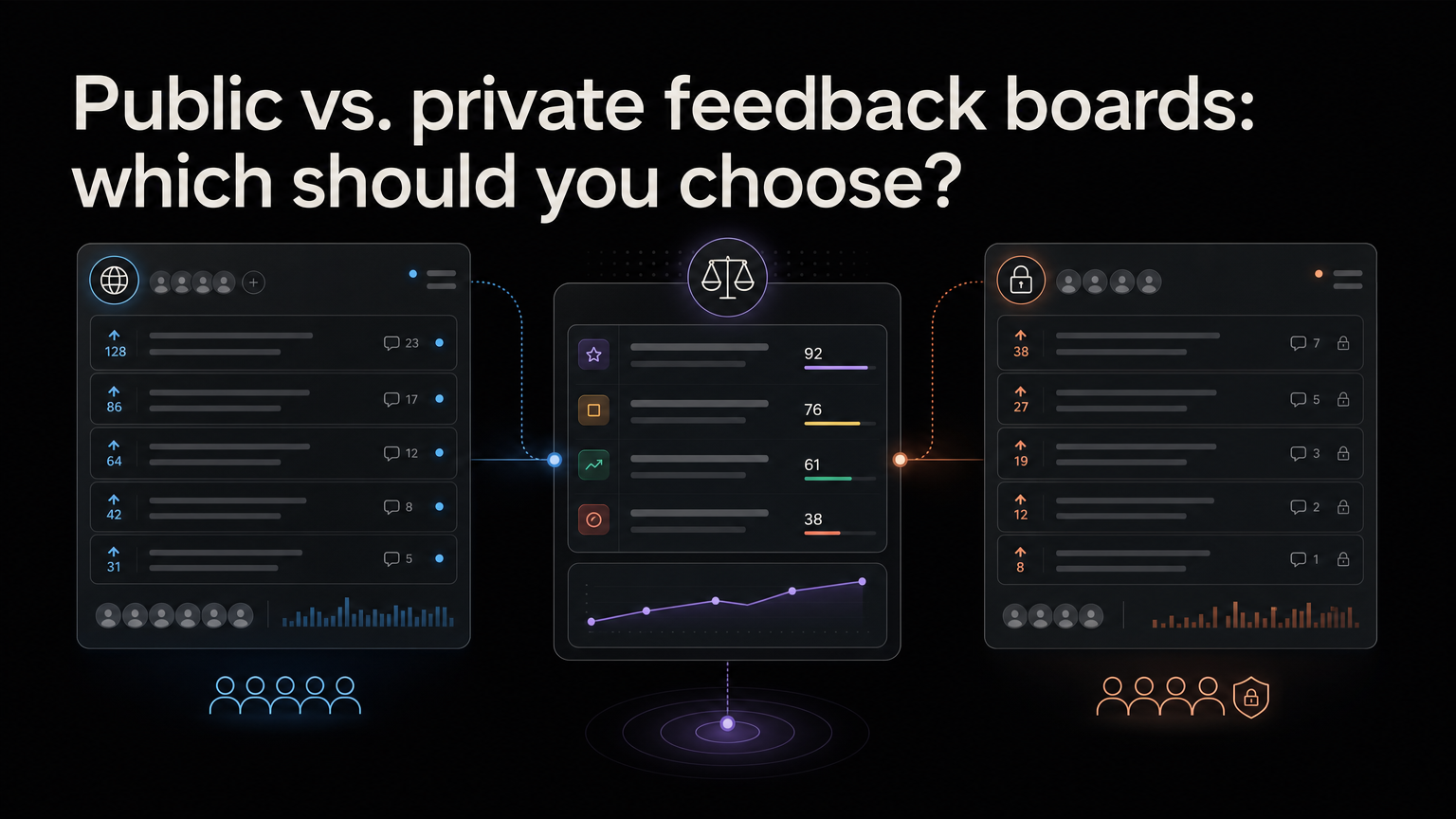
A public feedback board lets customers browse and support ideas. A private board limits access to selected customers or teammates.
The right choice depends on the feedback, audience, and promises your product can safely make.
Choose public when
- Customers benefit from seeing existing ideas
- Duplicate requests are common
- Community participation matters
- Product direction can be discussed openly
- You can maintain statuses and responses
Public boards create transparency, but they also make stale items and unanswered comments visible.
Choose private when
- Feedback contains sensitive workflows or data
- Enterprise customers require confidentiality
- Ideas reveal unreleased strategy
- Only authenticated customers should participate
- Internal notes and revenue context are central
Privacy can produce more candid feedback, but customers lose the ability to discover shared demand.
Use a hybrid model
Many teams keep:
- A public board for customer-safe requests
- Private posts for confidential accounts
- Internal notes for commercial context
- A curated public roadmap
Move information between these views deliberately. Never publish a customer name, contract detail, or private quote without permission.
Set the same expectations
Public or private, explain that feedback informs the roadmap but does not guarantee delivery. Use clear statuses and close declined requests.
The board model matters less than the response habit.
Compare the tradeoffs
| Question | Public | Private |
|---|---|---|
| Customers find duplicates | Easy | Only inside the allowed group |
| Builds public trust | Strong potential | Limited |
| Supports sensitive context | Poor fit | Strong fit |
| Requires moderation | Usually more | Usually less |
| Competitors can browse | Yes | Usually no |
Choose public when repeated ideas benefit from discussion, direction is safe to share, and the team can respond every week. Choose private when feedback reveals customer data, regulated workflows, security work, or confidential strategy.
Design a hybrid workflow
Many products need both. One request can have a customer-safe title, private commercial notes, restricted comments, a public status, and an internal decision reason.
When a private theme becomes useful to share, create a public summary without naming the customer. Link both records internally so votes and evidence do not split.
Moderate public submissions
Remove personal data, credentials, abuse, and incidents that require private support. Merge duplicates while preserving the original context. If a request is closed, explain why rather than silently deleting it.
Publish a short policy covering acceptable content, response time, vote meaning, and how the team handles declined requests.
Review access over time
A young product may start public to learn quickly and add private spaces as enterprise use grows. A private research program may later publish a curated board once its process is reliable.
Revisit the choice when the audience, product risk, or feedback volume changes.
Frequently asked questions
Will a public board reveal strategy?
Only if you publish strategy. Suggestions can be visible without becoming roadmap commitments. Keep sensitive bets private.
Do private boards reduce participation?
They add access friction, but invited customers may provide deeper context. Use direct links and simple authentication.
Should votes be public?
Visible counts help discovery but can make prioritization look democratic. Pair them with a policy explaining that votes are one input.
Feedboard gives product teams a central place to collect feedback and share the appropriate roadmap view. Start your feedback board.
Plan the information architecture
Access is not only “public” or “private.” Decide visibility for each part:
- Board and categories
- Post title and description
- Vote totals
- Customer identity
- Comments
- Roadmap status
- Internal notes
- Commercial data
- Linked engineering work
A public post can have private voters and internal notes. A private post can later produce an anonymous public summary.
Define user roles
A practical model includes:
- Visitor: can browse public posts
- Customer: can submit, vote, and comment
- Invited member: can access a private board
- Contributor: can add feedback on behalf of customers
- Moderator: can merge, edit, and manage content
- Product owner: can change decisions and roadmap status
Use the minimum permission required. Review access when employees, contractors, or customers leave.
Scenario: early-stage SaaS
An early product wants broad learning and has little sensitive customer data.
It launches a public board with authenticated voting, a short moderation policy, and three categories. Support can add context on behalf of customers. Product reviews new posts weekly and updates roadmap states monthly.
Private notes contain account and revenue context. Public explanations describe customer outcomes without publishing business details.
Scenario: enterprise platform
An enterprise platform receives requests involving security architecture and regulated workflows.
It uses private account boards for detailed discussion, an internal cross-account theme view, and a curated public roadmap for safe outcomes. Similar private requests are linked internally without revealing one customer to another.
Scenario: developer product
A developer tool may benefit from public technical discussion and reproducible examples. It still needs a private route for vulnerabilities, credentials, and customer-specific logs.
The submission form tells users where security and urgent support reports belong.
Create a moderation playbook
Moderators need instructions for:
- Removing secrets and personal data
- Moving support requests to private channels
- Merging duplicates
- Editing titles while preserving meaning
- Handling abuse
- Closing unsupported ideas
- Escalating security reports
- Responding to legal removal requests
Record moderation changes so customers and teammates understand what happened.
Measure board health
For public boards, monitor time to response, spam rate, duplicate rate, unique contributing customers, and stale visible statuses.
For private boards, monitor invited-customer participation, depth of evidence, response time, cross-account theme discovery, and access-review completion.
For either model, track requesters notified after decisions. Visibility without follow-through does not build trust.
Migration between models
When moving from public to private, explain the reason, preserve existing links when possible, and tell customers how to access their posts.
When opening a private board publicly, review every post for customer names, confidential workflows, attachments, and comments. Do not assume old material is safe to expose.
Final decision worksheet
Audience:
Feedback sensitivity:
Need for customer discovery:
Authentication requirement:
Public strategy risk:
Moderation owner:
Response service level:
Private fields:
Customer notification method:
Review date:
Choose the simplest model that protects customers and supports the decision process. Complexity can be added later; leaked information cannot be taken back.
Access review checklist
Run a quarterly access review:
- Remove former employees, contractors, and customer contacts.
- Confirm private-board membership with account owners.
- Audit public posts for personal or confidential information.
- Review moderator and product-owner permissions.
- Test the security-reporting route.
- Verify that exports and notifications follow the same access rules.
Include board permissions in customer offboarding and employee access processes. A private board is only private when its identity, links, notifications, and exported data are handled consistently.
Record access-policy changes and notify affected customers when the way they participate changes.
Test access as each user role after every major permission change.