%20--%3e%3cdefs%3e%3cstyle%3e%20.st0%20{%20fill:%20%23fff;%20}%20%3c/style%3e%3c/defs%3e%3cpath%20class='st0'%20d='M37.06,124.64c1.42-.39,3.06.14,4.14.77,29.56,17.44,67.54,6.48,83.47-23.79,9.31-17.68,10.16-36.97,1.54-55.34-1.29-2.76.63-5.66,3.07-6.48,2.76-.91,5.34.33,6.56,2.99,7.71,16.78,8.53,35.39,2.51,52.8-14.32,41.46-61.44,61.08-100.66,39.6l-28.54,8.18c-1.53.44-3.51-.85-4.32-1.78-1.07-1.23-1.51-2.99-1.06-4.68l7.42-27.48C1.75,93.06-1.86,75.29,2.43,56.85,9.85,24.85,36.89,1.27,70.09.31c14.91-.43,29.09,3.99,41.7,12.54l-.36-5.47c-.17-2.66,1.42-4.88,3.81-5.4,2.05-.44,5.56.58,5.97,3.25,1.09,7.06,1.8,14.07,2.44,21.4.2,2.3-2.47,4.71-4.65,4.73l-18.11.08c-2.8,0-5.09-1.59-5.5-4.35-.35-2.36,1.31-5.56,4.1-5.59l6.44-.08C76.96,1.23,36.92,10.4,19.4,41.02c-11.87,20.72-11.49,44.19,1.31,64.59.85,1.31,1.36,2.49.93,4.03l-5.58,20.83,20.99-5.85.02.02Z'/%3e%3cpath%20class='st0'%20d='M91.43,92.7c4.29,0,7.09-3.34,6.98-7.09-.11-4.05-3.59-7.03-7.8-6.51h-20.19l3.67-10.15,16.89-.03c3.39,0,5.97-2.47,6.48-5.72.33-2.08-.3-4.22-1.58-5.63-1.45-1.59-3.44-2.1-5.64-2.1l-14.72.05,3.1-10.18c4.29-.19,8.41-.33,12.75-.13,7.66.35,14.32,5.25,16.03,12.72,1.36,5.97-.65,11.99-5.85,15.54,3.21,2.02,5.5,4.76,6.49,8.59,2.55,9.85-4.33,20.06-14.94,20.56l-32.37.2,3.73-10.07,9.74-.08h17.21v.02Z'/%3e%3cpath%20class='st0'%20d='M68.08,68.96l-3.36,10.12-18.41.03-.06,23.7h-10.38v-56.96c0-.5,1.61-.71,2.14-.71h6.97l27.17-.02-3.18,10.34-22.63.14-.03,13.33,21.78.05v-.02Z'/%3e%3c/svg%3e)
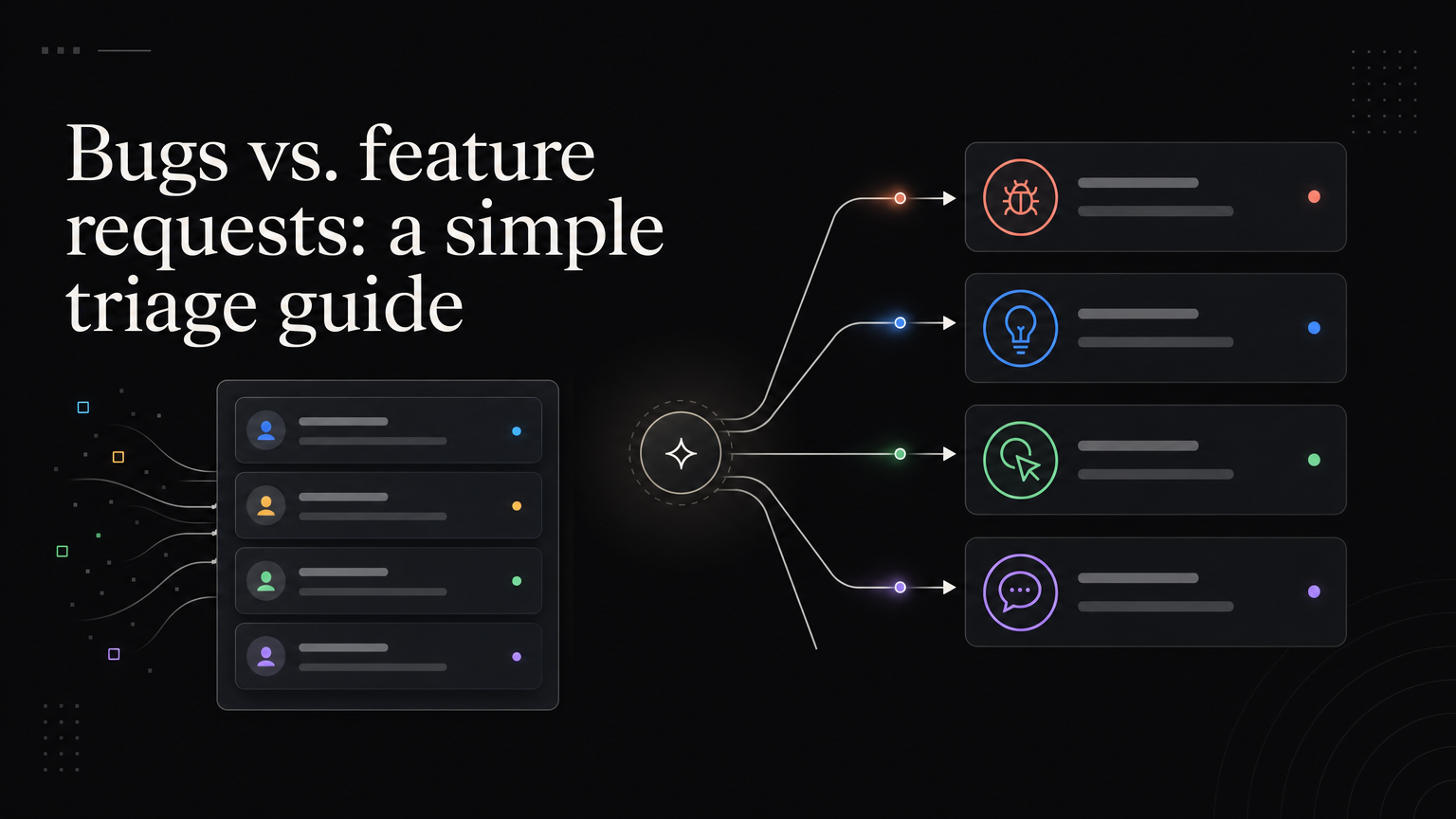
Customers describe outcomes, not ticket types. “Export does not work” could be a defect, missing format, confusing interface, or permission issue.
Bug
The product behaves differently from a reasonable or documented expectation.
Example: CSV export downloads an empty file for reports with date filters.
Route it to incident or engineering triage. Record severity, reproduction steps, and affected customers.
Feature request
The customer wants a capability the product does not currently provide.
Example: export reports as a scheduled email.
Link it to the feedback board, merge duplicates, and investigate the underlying job.
Usability problem
The capability exists, but customers cannot find, understand, or complete it reliably.
Example: customers do not notice that export is inside the overflow menu.
This may require design, onboarding, or documentation rather than a new feature.
Support question
The product works as intended and the customer needs guidance.
Example: only workspace admins can export billing reports.
Answer the question, then track repetition. A high volume of similar questions can reveal a usability problem.
When classification is unclear
Ask:
- What did you expect?
- What happened?
- Has this worked before?
- Which account, device, and workflow?
- What are you trying to accomplish?
Do not delay urgent help while debating labels.
Keep the customer updated
The internal destination can differ, but the customer should have one traceable conversation. Tell them whether the issue is confirmed, under review, planned, fixed, or not planned.
Use a five-step triage sequence
1. Protect the customer
If the report involves security, data loss, an outage, payment failure, or a blocked core workflow, begin incident handling immediately. Classification can be refined later.
2. Reproduce the expectation
Compare the behavior with documentation, intended design, previous behavior, and reasonable customer expectation.
3. Identify the desired outcome
Ask what the customer was trying to finish. This prevents a narrow technical label from hiding a usability problem.
4. Route and link
Send implementation work to the correct team but keep one customer-facing record. Link the issue, request, help article, or design task internally.
5. Set the next update
Tell the customer what happens next and when they should hear again.
Borderline examples
“The dashboard is too slow”
A regression or failure to meet an established performance expectation is a bug. A dashboard that works as designed but cannot handle a new data scale may need a performance improvement. Measure the delay and affected accounts before deciding.
“I cannot export a PDF”
If PDF export exists and fails, it is a bug. If only CSV exists, PDF is a feature request. If PDF is hidden in an unclear menu, it may be a usability problem.
“Guests can see billing”
If permissions promise to hide billing, treat this as a serious access-control defect. If no guest role exists, it may be a permissions request. Check the documented model before classifying.
Separate type, severity, and priority
Type determines the workflow. Severity describes customer harm. Priority describes when the team will act.
A feature request can be urgent because it blocks a legal deadline. A cosmetic defect can be a low priority. Do not let the ticket type decide priority automatically.
Write customer-facing updates
Avoid internal shorthand:
Closed as working as intended.
Use:
Only workspace admins can export billing reports today. We agree the permission is not obvious and are updating the help text.
Avoid:
Moved to feature backlog.
Use:
PDF export is not available. We linked your use case to the existing request and will notify you if its status changes.
Metrics and FAQs
Track time to acknowledgement, time to severity decision, repeat reports, reopened issues, and customers notified after a fix.
Let customers choose “bug” or “feature” if useful, but do not rely on their classification. Ask what happened and let the team route it.
Publish meaningful fixes in the changelog when many customers were affected, behavior changed, or action is required.
Feedboard keeps customer-facing requests and statuses organized while bugs move through the engineering tracker. Create a clearer feedback workflow.
Add two more categories
Documentation gap
The workflow works, but official guidance is missing, outdated, or inaccurate.
Create documentation work and link repeated questions. If customers still fail after the guidance improves, investigate usability.
Data or configuration issue
The product behaves correctly, but account data, permissions, or settings prevent the outcome.
Support can resolve the immediate case. Repetition may show that validation, defaults, or diagnostic messages need product work.
Build a decision tree
Ask:
- Is there urgent security, data, payment, or availability risk?
- Does the behavior contradict documented or reasonable expectation?
- Does the capability exist for this plan, role, and environment?
- Can the customer complete the job through the intended workflow?
- Is guidance accurate and discoverable?
- Does the problem repeat across accounts?
The answers route the report without forcing the customer to understand internal categories.
Worked triage example
A user says, “Inviting a guest is broken.”
Investigation finds that the workspace is on a plan without guest access. The interface still shows an invite button before displaying the plan restriction.
This contains:
- A support question about plan availability
- A usability problem caused by late messaging
- A possible feature request for guest access on another plan
The team answers the account question, improves the interface, and links the pricing request separately.
Write acceptance criteria from expectation
For a confirmed defect:
Given a Pro project with saved filters
When an administrator exports the report
Then the file contains the filtered rows
And the date range matches the visible report
Include the customer environment and edge case that exposed the failure.
Connect duplicates to reach
Link every affected account to the main issue. Record first occurrence, most recent occurrence, and version or environment.
Do not close duplicate customer conversations without telling them they are linked and how updates will arrive.
Post-fix review
For high-severity or recurring defects, ask:
- Why did the defect occur?
- Why did tests or monitoring miss it?
- Why was diagnosis slow?
- Was the workaround adequate?
- Did communication reach all affected customers?
- What systemic improvement is needed?
Keep the review focused on improving the system rather than assigning blame.
Triage ownership table
| Work | Owner |
|---|---|
| Customer acknowledgement | Support |
| Severity and incident decision | Support/engineering on-call |
| Technical diagnosis | Engineering |
| Product expectation | Product/design |
| Documentation correction | Documentation/support |
| Roadmap request | Product |
| Customer closure | Support or success |
Names can differ, but every handoff should be explicit.
More FAQs
What if expected behavior is undocumented?
Use product intent, previous behavior, common user expectation, and customer harm. Then document the decision so future reports are consistent.
Should usability problems go into the bug tracker?
They may require design and delivery work, but keep them distinguishable from technical defects for analysis.
When should support create a feature request?
When the customer needs an unsupported outcome. Preserve the use case instead of translating it only into a solution title.
Can one report create several records?
Yes. A conversation can reveal an immediate bug, a confusing workflow, and a broader feature request. Link them so the customer receives one coherent response.