%20--%3e%3cdefs%3e%3cstyle%3e%20.st0%20{%20fill:%20%23fff;%20}%20%3c/style%3e%3c/defs%3e%3cpath%20class='st0'%20d='M37.06,124.64c1.42-.39,3.06.14,4.14.77,29.56,17.44,67.54,6.48,83.47-23.79,9.31-17.68,10.16-36.97,1.54-55.34-1.29-2.76.63-5.66,3.07-6.48,2.76-.91,5.34.33,6.56,2.99,7.71,16.78,8.53,35.39,2.51,52.8-14.32,41.46-61.44,61.08-100.66,39.6l-28.54,8.18c-1.53.44-3.51-.85-4.32-1.78-1.07-1.23-1.51-2.99-1.06-4.68l7.42-27.48C1.75,93.06-1.86,75.29,2.43,56.85,9.85,24.85,36.89,1.27,70.09.31c14.91-.43,29.09,3.99,41.7,12.54l-.36-5.47c-.17-2.66,1.42-4.88,3.81-5.4,2.05-.44,5.56.58,5.97,3.25,1.09,7.06,1.8,14.07,2.44,21.4.2,2.3-2.47,4.71-4.65,4.73l-18.11.08c-2.8,0-5.09-1.59-5.5-4.35-.35-2.36,1.31-5.56,4.1-5.59l6.44-.08C76.96,1.23,36.92,10.4,19.4,41.02c-11.87,20.72-11.49,44.19,1.31,64.59.85,1.31,1.36,2.49.93,4.03l-5.58,20.83,20.99-5.85.02.02Z'/%3e%3cpath%20class='st0'%20d='M91.43,92.7c4.29,0,7.09-3.34,6.98-7.09-.11-4.05-3.59-7.03-7.8-6.51h-20.19l3.67-10.15,16.89-.03c3.39,0,5.97-2.47,6.48-5.72.33-2.08-.3-4.22-1.58-5.63-1.45-1.59-3.44-2.1-5.64-2.1l-14.72.05,3.1-10.18c4.29-.19,8.41-.33,12.75-.13,7.66.35,14.32,5.25,16.03,12.72,1.36,5.97-.65,11.99-5.85,15.54,3.21,2.02,5.5,4.76,6.49,8.59,2.55,9.85-4.33,20.06-14.94,20.56l-32.37.2,3.73-10.07,9.74-.08h17.21v.02Z'/%3e%3cpath%20class='st0'%20d='M68.08,68.96l-3.36,10.12-18.41.03-.06,23.7h-10.38v-56.96c0-.5,1.61-.71,2.14-.71h6.97l27.17-.02-3.18,10.34-22.63.14-.03,13.33,21.78.05v-.02Z'/%3e%3c/svg%3e)
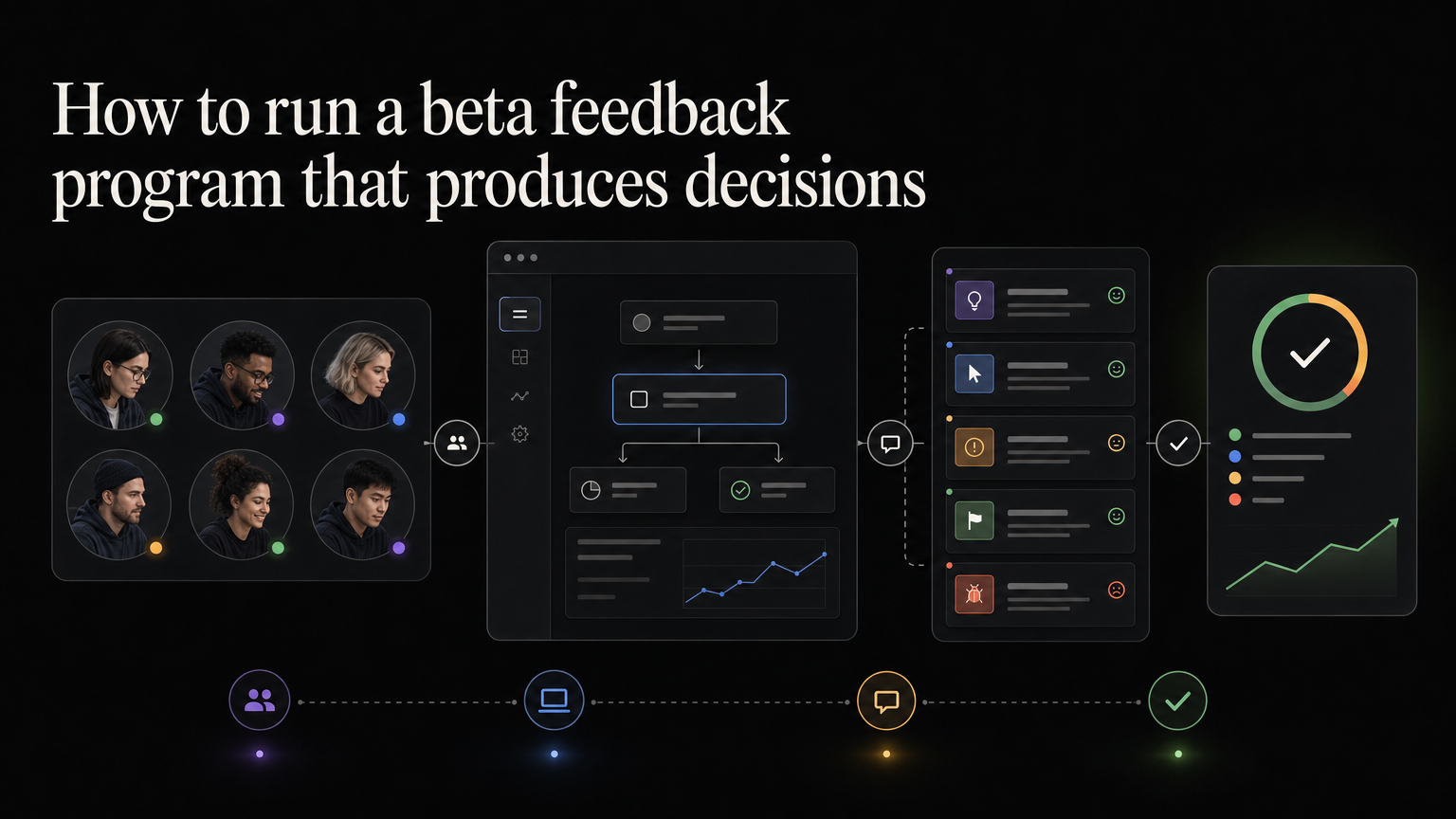
A beta is a product test with real users and a defined learning goal. It is not early access for everyone who asks.
Write the decision first
State what the beta should help you decide:
Should scheduled reports be released to all customers?
Then define signals:
- Testers complete setup without help
- At least half schedule a second report
- Delivery succeeds reliably
- Recipients understand the email
- No critical permission issue appears
Recruit for the use case
Start with customers linked to the original feedback. Choose people who experience the problem and can test during the beta window.
A small relevant group produces better evidence than a large general waitlist.
Set expectations
Tell testers:
- What is included
- What may break
- How long the beta lasts
- Where to report issues
- How often you will send updates
- Whether access may change
Do not imply that every suggestion will enter the final release.
Collect behavior and comments
Observe whether testers complete the core workflow. Ask about specific moments:
What happened when you tried to add a recipient?
Avoid broad questions such as “Do you like it?”
Keep bugs separate from feature ideas while linking both to the beta.
Publish the decision
At the end, choose release, extend, revise, or stop. Tell testers what you learned and what happens next.
When the feature ships, credit their contribution and link the release note. If it does not ship, explain the decision.
Feedboard can give beta testers one place to submit feedback and follow the roadmap through launch. Run your beta feedback in Feedboard.
Create a beta brief
Decision:
Target testers:
Core workflow:
Success signals:
Guardrails:
Known limitations:
Start and end dates:
Owner:
The brief prevents the beta from continuing indefinitely because the team enjoys collecting suggestions.
Plan tester communication
Send a welcome note, setup instructions, a midpoint update, and a closing decision. Give testers one place for bugs and one for product ideas, while linking both to the beta.
Respond quickly to blocked testers. A person who cannot finish setup cannot validate the core workflow.
Analyze evidence
Separate:
- Adoption: did testers try it?
- Usability: could they complete the job?
- Value: did the result help?
- Reliability: did it work repeatedly?
- Demand: did they return or ask to keep access?
Compliments are not equal to repeat behavior.
Avoid beta bias
Early volunteers are often power users. Include people with average product knowledge and customers who previously struggled with the workflow.
Do not let one highly engaged tester design the whole feature. Group feedback and compare it with the decision criteria.
Exit cleanly
If the beta succeeds, publish availability, remaining limits, and a release note. If it needs revision, explain what will change. If it stops, tell testers why and what happens to their data or workflow.
A clear ending protects trust even when the feature does not launch.
Choose the beta type
An internal beta tests the workflow with teammates and safe data. A private beta uses selected customers under clear expectations. An open beta allows broad access but still labels the feature unfinished.
Move through these stages only when the risk supports it. A permission or billing change deserves tighter access than a cosmetic editor improvement.
Estimate the right group size
Start with enough testers to cover important use cases while keeping communication personal. Five to fifteen active testers can reveal major workflow problems. Reliability testing may require a larger group and more varied data.
Recruit extra people because some invited testers will not participate. Measure active testers separately from accepted invitations.
Create feedback prompts tied to tasks
After a tester attempts the core workflow, ask:
- What were you trying to complete?
- Where did you hesitate?
- What happened differently from your expectation?
- Did you use a workaround?
- Would you repeat this workflow next week?
For reliability, ask for time, account, device, steps, and impact. Keep logs linked without exposing them on a public board.
Run weekly beta reviews
Review:
- Activation and repeated use
- Blocking defects
- Repeated usability problems
- New use cases outside the intended scope
- Requests to change the solution
- Evidence against the original assumption
Assign each theme an owner and decision. Do not treat every comment as a build task.
Prevent scope expansion
Beta testers often suggest adjacent features. Record them, but compare each with the beta decision.
If the beta is testing whether customers can schedule reports reliably, a request for custom email branding may be valuable without blocking release. Separate launch requirements from future ideas.
Protect customer data
State what beta data is collected, who can access it, and what happens after the program. Use production-like security even when the interface is unfinished.
Do not ask customers to share credentials or sensitive screenshots on a public post. Provide a private support route.
Release-readiness checklist
- Core workflow succeeds at the required rate.
- No unresolved critical defects remain.
- Permission and data behavior are understood.
- Help documentation exists.
- Support knows current limitations.
- Pricing and plan availability are decided.
- Testers received the outcome.
- Rollback and monitoring are ready.
Frequently asked questions
Should beta access be free?
It depends on the product and relationship. Avoid using payment as the only demand signal; a paid pilot should still have defined learning goals.
How long should a beta run?
Long enough for the natural workflow to repeat. A weekly reporting feature needs several weeks; a one-time import can be evaluated faster.
What if testers disagree?
Segment the evidence by role and use case. Contradiction often indicates different customer problems rather than a need to average opinions.
Beta scorecard
Invited testers:
Activated testers:
Core task completion:
Repeat use:
Critical defects:
Usability themes:
Support time:
Guardrail breaches:
Customer outcome:
Release decision:
Report denominators. “Eighty percent succeeded” means little if only five of fifty invited testers participated.
Manage access after the beta
Decide whether testers keep the feature, move to a paid plan, return to the previous workflow, or need data exported.
Give notice before removing access. A beta label does not excuse surprising a customer who integrated the workflow into daily operations.
Credit participation
Thank testers privately or publicly with permission. Explain which evidence changed the product and which requests remain outside scope.
Do not publish customer names, screenshots, or quotes without approval.
Archive the program
Keep the brief, participant criteria, evidence, decisions, and final communication. Future teams should be able to see why the feature launched and which risks remained.
The archive also prevents a new beta from repeating questions already answered.
Final owner handoff
Before closing, transfer unresolved defects, later ideas, documentation work, and customer commitments to named owners. Remove temporary access and monitoring that no longer applies.
Schedule a post-release review using the same success signals as the beta. A successful test is still an assumption until the broader customer population receives the outcome reliably.